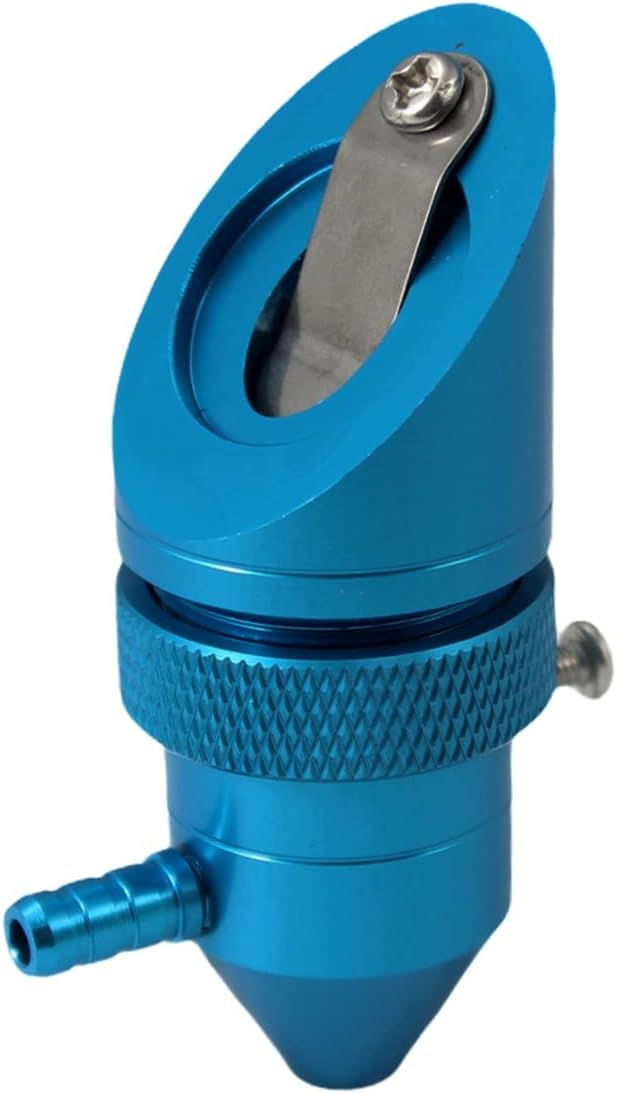
Best CO2 pick
OMTech K40+ 45W
45W tube, built-in air assist and LightBurn support in the K40 footprint
- Complete desktop CO2 laser
- 45W CO2 tube
- Fits the K40
A K40 and a 10W diode engraver both sit on a desk and both burn wood, but they are different tools. They differ in what they cut, what they demand in setup, and where a Glowforge fits between them.
Current as of September 2026Pick a K40 if you want to cut clear or coloured acrylic, cut 3mm wood quickly and engrave glass, and you can handle a water loop and an outdoor vent. Pick an enclosed 10W diode if you want a Class 1 box with no water or high voltage for crafts in a shared home. A Glowforge buys CO2 cutting with a camera and a cloud app, at a much higher cost.

The biggest difference between a K40 and a diode engraver is the wavelength. A CO2 tube emits far-infrared light at 10,600nm; a blue diode emits visible light around 455nm.
Materials treat those two very differently. Almost every organic material and every acrylic soaks up 10.6µm light, whatever its colour. Blue light is absorbed by dark surfaces and passes straight through clear or blue ones.
That one fact explains most of the K40 vs diode laser trade-offs:
Watts do not compare directly either. A 10W diode is not a quarter of a 40W K40, because the materials absorb each beam differently. Read the optical output, too: some diode machines advertise electrical input or an equivalent figure far above the module's real output.
Neither is the better laser in general. Each suits a different set of jobs.
| K40-class CO2 | Enclosed 10W diode | Glowforge (CO2 models) | |
|---|---|---|---|
| Laser source | 40–45W CO2 glass tube, 10,600nm | 10W diode module, around 455nm | CO2 tube |
| Cut clear acrylic | Yes, any colour | No, the beam passes through | Yes |
| Cut 3mm plywood | Yes, quickly | Yes, slower | Yes |
| Engrave glass | Yes, frosted | Needs a coating or backing | Yes |
| Mark bare metal | Only with marking spray | Some metals, pitched as a feature | Only with marking products |
| Cooling | Water loop or chiller | Fan on the module | Built in |
| Enclosure | Enclosed; stock units often lack a lid interlock | Class 1 enclosed on the xTool M2, BlazeX M3 and Falcon A1 | Enclosed, camera-guided |
| Software | LightBurn (K40+), K40 Whisperer (stock) | Maker's own app; many run LightBurn | Browser-based cloud app |
| Work area | 12 x 8 in | Varies by model | Larger than a K40 |
Diode column drawn from the xTool M2, BlazeX M3 and Creality Falcon A1 specs, September 2026. Glowforge figures cover its CO2 models in general terms.
For the money, nothing gets you into CO2 cutting more cheaply than a K40. If your projects involve acrylic, glass or a lot of cut wood parts, it is still the stronger machine for the money.
Jobs where CO2 pulls clearly ahead:
Ortur's Laser Master 2 against a K40 is the classic version of this choice. The Laser Master 2 is an open-frame diode engraver with a much larger bed than the K40's 12 x 8 in, but it has no enclosure and cuts thin stock slowly. An open diode needs wavelength-rated glasses for everyone in the room, and a shield or enclosure.
The K40 asks more of the owner in return. You manage a water loop, a high-voltage supply, alignment and an outdoor vent. All four are part of a proper K40 setup, and the payoff is a wider K40 material list than any diode offers.
Enclosed 10W diode lasers have become the easy option for home crafters. They trade cutting speed and clear-acrylic work for a simpler, safer setup.
A diode fits better when these matter most:
Enclosed diodes still make smoke, so they still need a vent or a filter. Class 1 means the beam stays inside the box, not that the fumes do.
Diode cutting is slower. A 10W module handles thin plywood and dark acrylic, but thicker wood takes several slow passes, and clear acrylic does not cut at all.
If most of your work is engraving photos on wood, leather patches, paper crafts or felt, a diode box covers it with less fuss.

The xTool M2 is a Class 1 enclosed 10W diode with dual cameras and a CMYK inkjet module, aimed at paper, felt, leather and wood crafts. It needs no water loop and no high-voltage tube, but it will not cut clear acrylic and its smoke still needs venting.
View offerThe K40 laser cutter vs Glowforge question is really a question about how much of the setup you want to do yourself. Both use a CO2 tube, so the material list is broadly the same.
The Glowforge CO2 models wrap the tube in a finished enclosure with built-in cooling, a lid camera for placing designs, and a browser-based cloud app. Their bed is larger than the K40's, and the whole experience is closer to using a printer.
The K40 trades that polish for cost and control:
Pick a Glowforge if you want CO2 results with minimal setup and can pay for it. Pick a K40 if you enjoy tuning a machine or want to keep money for materials.
The OMTech K40+ 45W narrows the gap. Built-in air assist and LightBurn support remove two of the upgrades a stock K40 needs.
|
OMTech K40+ 45W |
VEVOR 45W Desktop CO2 Laser (K40-class) | |
| Type | Machine | Machine |
| Power | 45W | 45W |
| Air assist | — | Yes |
| Fits K40 | Yes | Check size |
| View offer | View offer |
Whichever K40 laser alternative you weigh, compare complete setups. The machine is only the first line on the bill, and the extras differ sharply between CO2 and diode.
What a K40 needs before it runs safely:
What an enclosed diode needs:
Space counts too. A K40 needs a bench near a window, room for a bucket or chiller, and a short duct run. A diode box sits on any table with a vent route.
Run the final decision through three questions:
Chose CO2? The K40 upgrade order shows what to fit first.
Neither is better overall. A K40 cuts clear acrylic and engraves glass; an enclosed diode avoids water cooling and high voltage and suits crafts in a shared home.
Only dark, opaque acrylic. Clear and blue acrylic let the blue beam pass through, while a CO2 K40 cuts any colour.
Both are CO2. A Glowforge adds a camera, cloud software and a finished enclosure at a much higher cost; a K40 is cheaper and fully repairable.
The Laser Master 2 is an open-frame diode with a bigger bed but slower, thinner cutting and no enclosure. The K40 cuts faster and handles acrylic and glass.
No. Glasses are rated per wavelength: around 455nm for blue diodes and 10,600nm for CO2. Buy the pair that matches your laser.
These enclosed diode engravers are easier to live with than a K40, but slower through thick stock and unable to cut clear acrylic.