Best K40s

What Can a K40 Laser Cut? Materials, Thickness and Starting Settings

A 40W CO2 tube is a wood, acrylic and leather tool that also engraves glass, stone and coated metal. Know where its limits sit before you buy stock for a project.

Current as of September 2026
Quick answer

A K40 cuts wood, plywood, MDF, acrylic, paper, card, leather, felt, natural fabric, cork and laser-safe rubber, and engraves glass, slate, tile, anodized aluminium and coated metal. It cannot cut any metal, and it marks bare metal only with a marking spray.

  • Plywood and acrylic: plan on about 3–6mm per pass
  • Glass: engraves to a frosted finish, never cuts
  • Bare metal: mark with spray, never cut
  • PVC and vinyl: never, they release chlorine gas
2 OMTech K40+ 45W
Thicker cuts from the box OMTech K40+ 45W
OMTech rates the 45W K40+ for 10mm acrylic and 8mm wood, with air assist built in
  • Complete desktop CO2 laser
  • 45W CO2 tube
  • Fits the K40
View offer

Wood, acrylic and leather: the 40W bread and butter

A 40W CO2 laser cuts organic materials and most acrylics cleanly. The 10.6µm beam is absorbed well by wood, paper, leather and plastics, which is why the K40 made hobby laser cutting take off.

What a K40 cuts well, with typical single-pass thickness for a healthy tube and air assist:

  • Plywood and softwood: about 3mm easily, up to around 6mm with slow speed or two passes.
  • MDF: about 3mm. The resin makes heavy smoke and a dark edge.
  • Cast and extruded acrylic: about 3–6mm, with a glossy, flame-polished edge.
  • Veg-tan leather: thin hides cut cleanly; thick belt leather takes passes.
  • Paper, card and cardboard: fast, at low power.
  • Felt, cotton, cork and laser-safe rubber: clean cuts for gaskets, stamps and patterns.

Hardwoods cut slower than softwoods, and plywood varies with its glue. A sheet that cuts perfectly one week can stall the next if the new batch has thicker glue layers.

Laser-safe means no chlorine. Faux leather, most vinyl and many craft rubbers contain PVC, and they belong nowhere near the bed.

Colour does not matter to a CO2 beam, which is one of its big wins over a diode. Clear, blue and white acrylic all cut the same, as the K40 vs diode comparison explains. For K40 laser acrylic work, buy cast sheet when the part needs an engraved mark and extruded when it only needs cutting.

Reference table

Every common material, cut or engrave

MaterialCutEngraveShop notes
Plywood, solid woodYes, about 3–6mmYesGlue layers in plywood vary; hardwoods cut slower
MDFYes, about 3mmYesHeavy smoke and a dark edge
Cast acrylicYes, about 3–6mmYes, frosted whiteFlame-polished cut edge
Extruded acrylicYesWeak contrastCuts well, engraves poorly
Veg-tan leatherYes, thin hidesYesStrong smell; run the fan hard
Paper, card, cardboardYesYesLow power and a close fire watch
Felt, cotton, linenYesLight markingSynthetics melt and seal at the edge
GlassNoYes, frostedWet paper or a soap film reduces chipping
Slate, stone, tileNoYesSlate engraves light grey on dark
Anodized aluminiumNoYes, white-silverThe beam removes the dye layer
Bare steel, brass, aluminiumNoOnly with marking sprayThe metal reflects 10.6µm light
PVC, vinyl, faux leatherNeverNeverReleases hydrogen chloride gas

Thickness ranges are typical single-pass results for a healthy 40–45W tube with air assist and good alignment. A stock machine without air assist sits at the low end.

How thick a K40 cuts, and what sets the limit

How thick can a K40 laser cut? The honest range is 3–6mm in plywood and acrylic per pass, and the machine, not the material, usually sets where you land inside it.

Five things decide your real limit:

  1. Tube power. A stock 40W tube run at a safe current delivers less than the badge suggests. A 45W tube, like the one in the OMTech K40+, goes deeper.
  2. Air assist. Air blows out the burning debris and stops flare-ups, so each pass cuts deeper and cleaner.
  3. Focus. A spot out of focus spreads the power. Set it with a ramp test.
  4. Clean, aligned optics. A dirty lens or a drifted mirror can cost a large share of the power.
  5. Density and moisture. Dense hardwood and damp stock both cut slower.

More passes go deeper, but each one widens the kerf and darkens the edge. For thick stock, lower the focus a little between passes so the spot follows the cut.

The makers' own figures show how far claims can differ. OMTech rates the K40+ 45W for 10mm acrylic and 8mm wood. VEVOR recommends staying at or under 5mm acrylic and 3mm wood on its 45W machine.

Treat any top figure as a best case with slow speed and several passes. For projects, design around 3mm stock and you will rarely be disappointed.

Compared

Kit that widens the material list

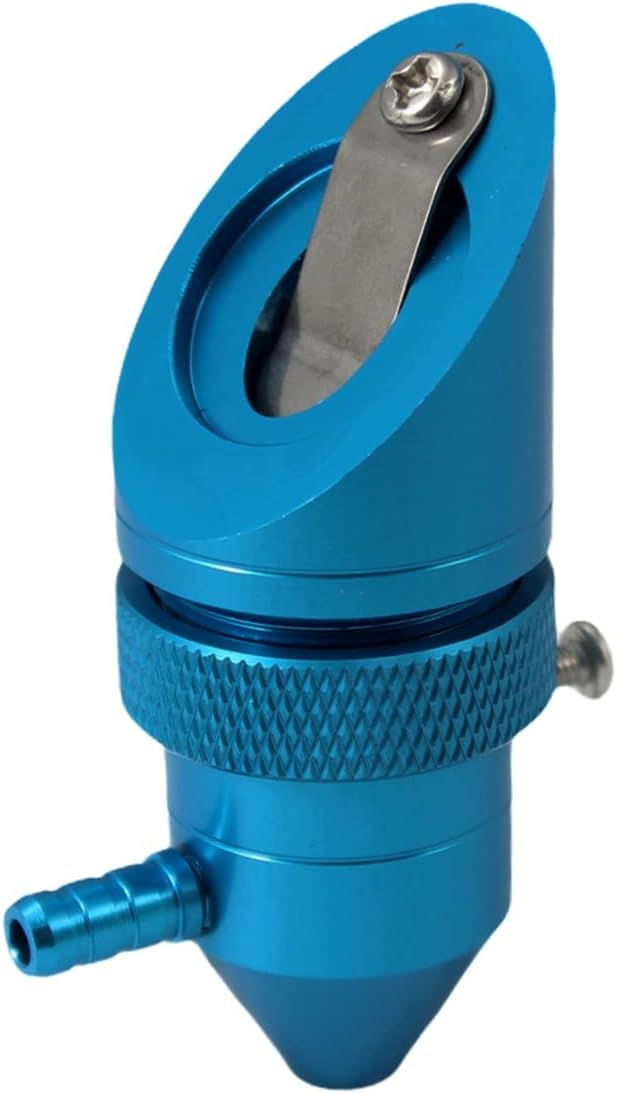
OMTech CO2 Laser Marking Spray OMTech CO2 Laser Marking Spray OMTech Rotary Axis for 40-45W OMTech Rotary Axis for 40-45W zwqpeic K40 Honeycomb Bed zwqpeic K40 Honeycomb Bed Lightobject K40 Air-Assist Head Lightobject K40 Air-Assist Head Cloudray 135W Air Compressor Cloudray 135W Air Compressor
TypeSupplies & toolsRotaryBed & tableLaser headAir assist
Power—40W——135W
Size———12mm—
Air assist———Yes—
Fits K40Check sizeCheck sizeYesYesCheck size
View offer View offer View offer View offer View offer
Specs

Complete specs for the top picks

OMTech CO2 Laser Marking Spray
Volume
13 fl oz aerosol
Pack
1 can
Purpose
High-contrast, permanent black marks on bare metal
CO2 lasers
25W and above
Fiber lasers
Supported, for more vivid marks
Metals
Aluminum, stainless steel, brass and most others
Colour when sprayed
White
Colour after marking
Black
Nozzle
Clog-proof, even spray force
Coating
Fine-grained agent, thin smooth coat
Drying time
Under 5 minutes; about 2 minutes with a hot air blower
Formula
Cadmium-free
Full breakdown →View offer
OMTech K40+ 45W
OMTech K40+ 45W
Model
OMTech K40+ 45W
Laser source
45W CO2 glass tube
Work area
12 × 8 in (300 × 200mm)
Max engraving speed
300 mm/s
Rated cutting depth, acrylic
0.4 in (10mm)
Rated cutting depth, wood
0.31 in (8mm)
Air assist
Built-in 45° nozzle, flow adjusts with laser power
Work bed
Honeycomb, with detachable base
Rotary
Optional rotary axis compatible
Software
LightBurn supported; LaserGRBL included
Cooling
Water cooled; bundles add coolant or a CW-3000 chiller
Safety
Door and water protection, emergency stop
Full breakdown →View offer
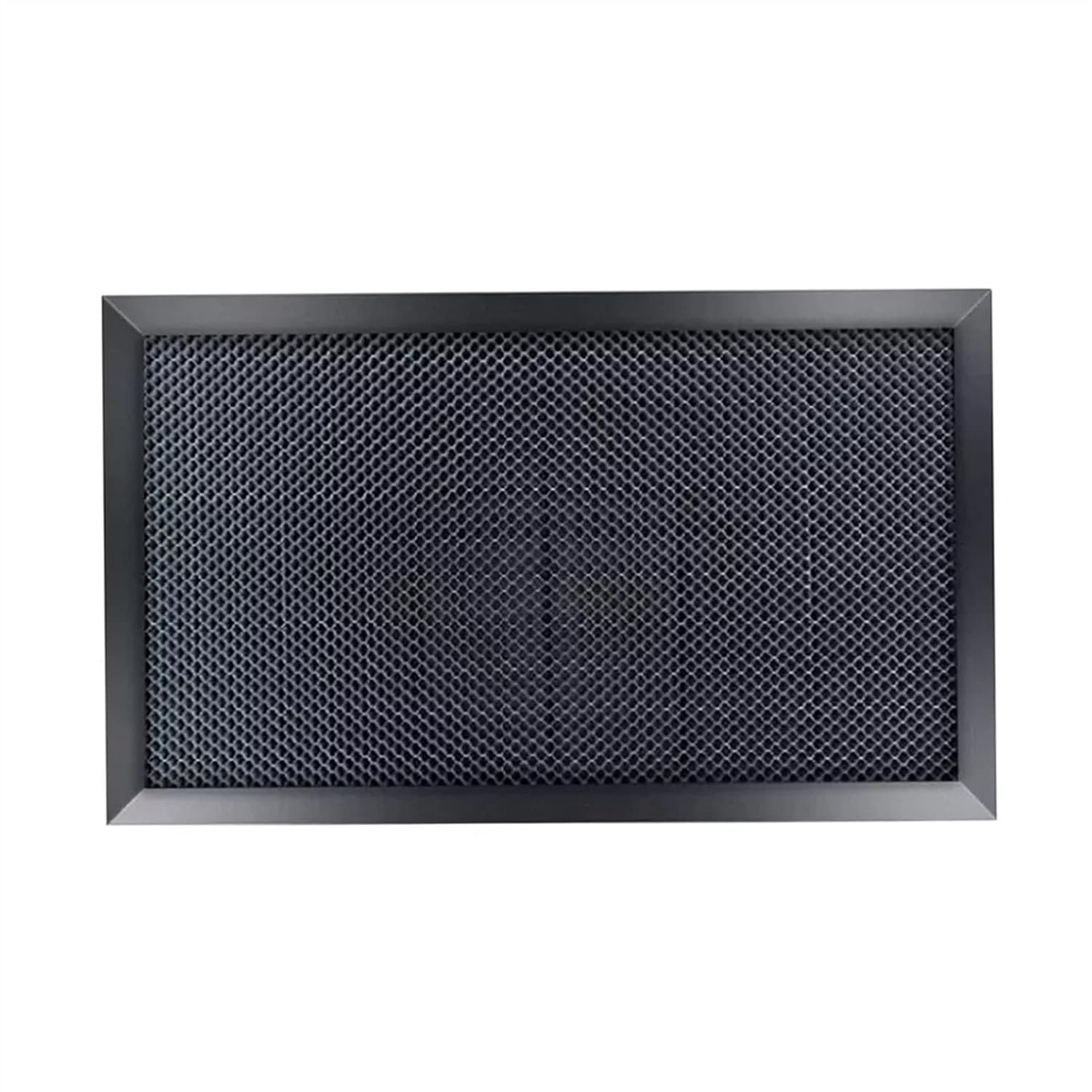
zwqpeic K40 Honeycomb Bed
Type
Honeycomb working table
Brand
zwqpeic
Made for
K40-series CO2 laser cutters and engravers
Standard size
300 x 200mm
Alternative size
350 x 250mm
Custom sizes
Available on request
This version's label
400 x 300mm x 22mm
Height
22mm
Honeycomb material
Galvanized iron plate
Frame
Alloy edging
Flatness
High flatness, not easy to deform (maker claim)
Laser type
CO2 cutting and engraving
Full breakdown →View offer

Engrave glass, slate and anodized aluminium

Plenty of K40 work never cuts at all. The same beam at low power and high speed engraves materials it could never cut through, and some of them give the best-looking results the machine makes.

For K40 laser engraving, glass gives a frosted mark, because the beam heats the surface and it micro-fractures. It does not cut glass at all. To keep the frosting smooth:

  • Lay a damp paper towel or a thin film of dish soap on the glass.
  • Use low power and moderate speed; more power means more chipping.
  • Engrave twice lightly rather than once hard.
  • Wipe off the dust with a soft brush, not your fingers.

Round glasses and bottles need a rotary. Stock K40 boards have no dedicated rotary port, so owners rewire the Y axis; the K40+ offers a rotary bundle, and the VEVOR 45W includes one.

Other good engraving materials:

  • Slate: engraves a clean light grey on the dark stone.
  • Ceramic tile and stone: engrave, often filled with paint afterwards.
  • Anodized aluminium: the beam strips the dye and leaves a bright white-silver mark.
  • Painted and powder-coated metal: the beam removes the coating down to the metal.
  • Cast acrylic: engraves frosty white; extruded acrylic gives weak contrast.

All engraving work still needs the exhaust running. Glass and stone throw fine dust, and coatings burn off as fumes.

Top recommendation

Engrave all the way round a glass

OMTech Rotary Axis for 40-45W
Best for glasses, bottles and tumblers OMTech Rotary Axis for 40-45W

OMTech's rotary for 40–45W CO2 lasers turns round objects from 0.8 to 1.6 in across, so the beam engraves all the way around. It connects by a 4-wire cable to a machine with a rotary port.

View offer

Metal on a K40: mark it, never cut it

On a K40 laser, metal stays off the cutting list. Bare steel, aluminium and brass reflect most of the 10.6µm beam, and 40W is nowhere near the power needed to melt through even thin sheet.

What it can do is mark metal, with help. A CO2 marking spray bonds to bare metal under the beam and leaves a permanent black design. The OMTech marking spray is made for CO2 lasers of 25W and up, which covers every K40.

  1. Clean and degrease the metal so the coat sticks.
  2. Spray a thin, even coat. It goes on white and turns black only where the laser hits.
  3. Let it dry. Under five minutes, or about two with a hot-air blower.
  4. Engrave at a moderate speed and power, then test on scrap first.
  5. Rinse the excess off with water. The laser-marked design stays.

The spray works on stainless steel, aluminium, brass and most other metals. It suits tool serial numbers, tags, tumblers and jewellery blanks.

Shiny metal reflects the beam. Keep the lid shut while marking, and never try to cut reflective stock to see what happens.

If bare-metal marking is your main job, a fiber laser is the proper tool. For occasional tags and tumblers, spray on a K40 does the work.

At a glance

How thick the 45W machines are rated to cut

Maximum cutting thickness as each maker rates it, September 2026. OMTech states an upper limit; VEVOR states a recommended limit for clean cuts.

Starting settings for each material, then test

K40 laser cutter settings for different materials depend on your tube, optics and alignment, so no chart transfers exactly between machines. Treat these as starting points for your own test grid.

JobSpeedTube current
Cut 3mm plywood6–12mm/s10–15mA
Cut 3mm acrylic5–10mm/s10–15mA
Cut thin leather10–20mm/s8–12mA
Cut paper and card20–40mm/s4–6mA
Engrave wood150–300mm/s4–8mA
Engrave glass150–250mm/s5–8mA

Stock K40s set power with a knob and show it on an ammeter in milliamps. Digital machines set power as a percentage, so start low and read the ammeter if one is fitted.

Build your own chart in three steps:

  1. Cut a grid of small squares, each at a different speed and power.
  2. Note the fastest square that dropped out cleanly.
  3. Write it on a card taped inside the lid, with the material and thickness.

Keep the current at or under about 15mA on a 40W tube, whatever the material. Running harder buys a little depth and costs a lot of tube life.

If settings that used to work stop working, the machine changed, not the wood. Check the optics and mirror alignment first, and keep the K40 fume and fire precautions in place for every material.

Shop talk

What owners ask

Can a K40 laser cut metal?

No. Bare metal reflects the 10.6µm beam and 40W is far too little to cut it. Use a CO2 marking spray to mark bare metal instead.

How thick can a K40 laser cut?

About 3–6mm of plywood or acrylic per pass, depending on tube power, air assist, focus and the material. Thicker cuts take slow speeds and several passes.

Can a K40 engrave glass?

Yes, it leaves a frosted mark. A damp paper towel or soap film and low power reduce chipping; it cannot cut glass.

Does a K40 cut acrylic?

Yes, cast and extruded acrylic of any colour, with a polished edge. Cast acrylic also engraves frosty white; extruded engraves with weak contrast.

What materials should never go in a K40?

PVC, vinyl, faux leather, polycarbonate, ABS, HDPE, PTFE and fibreglass. PVC and vinyl release chlorine gas that harms you and the machine.

More from the shop

Related workshop guides

Also stocked

Machines and kit for harder materials