
Most buyers
OMTech K40+ 45W
The full work area on a honeycomb bed, with a detachable base for taller items
- Complete desktop CO2 laser
- 45W CO2 tube
- Fits the K40
A K40 is small for a CO2 laser but big for a desk: about 32 inches wide, 20 deep, and heavy enough to need two people. Plan the bench, the lid swing and the duct before the box arrives.
Current as of September 2026Current K40-class machines measure about 32 × 20 × 10 inches (810 × 500–520 × 250–260mm) and weigh 64 to 82 pounds as published. The work area is 12 × 8 inches, roughly 300 × 200mm. The tube is rated 40W or 45W, and real output sits below that peak figure.


Both current K40-class machines measure about 32 inches wide and 20 deep: the OMTech K40+ at 31.9 × 19.7 × 9.8 inches, the VEVOR at 31.89 × 20.47 × 10.24. That is roughly 810 by 500 to 520mm, and about 250mm tall with the lid shut.
The box size is only the start. A K40 needs working room on every side:
Put the machine near an outside wall so the duct run stays short. Every extra metre and bend weakens the exhaust. A dedicated, properly earthed outlet close by is just as important: the machine, pump, chiller, fan and air pump all need power.
Classic blue-box K40s vary by factory and year, so measure the one in front of you rather than trusting a figure. The electronics bay on the right and the tube bay at the back set the overall size; the work area inside barely changes.
| Spec | OMTech K40+ 45W | VEVOR 45W | Classic K40 |
|---|---|---|---|
| Work area | 12 × 8 in (about 300 × 200mm) | 12 × 8 in | About 300 × 200mm, less with the stock clamp |
| Tube rating | 45W | 45W | 40W, 700mm long |
| Outside size | 31.9 × 19.7 × 9.8 in (810 × 500 × 249mm) | 31.89 × 20.47 × 10.24 in (810 × 520 × 260mm) | Varies by factory |
| Weight | 81.8 lb (37 kg) | 64 lb (29 kg) | Varies by factory |
| Engraving speed | Up to 300mm/s | Up to 300mm/s | Limited by a light gantry |
| Cutting, maker's figure | 10mm acrylic, 8mm wood | Up to 5mm acrylic and 3mm wood recommended | Around 3mm plywood per pass is typical |
| Air assist | Built in | Built in | None on the stock head |
| Software | LightBurn, LaserGRBL | LightBurn, GRBL, CorelDRAW | K40 Whisperer, LaserDRW, CorelLaser |
Dimensions and weights as published by OMTech and VEVOR; metric conversions rounded. Published weights may include packaging.
The K40 work area is 12 by 8 inches, about 300 by 200mm, set by how far the gantry travels. Whether you get all of it depends on the bed and the duct.
On the OMTech K40+ and the VEVOR, a honeycomb bed spans the work area, and both machines reach their rated 12 by 8 inches. On a classic K40, two stock parts steal space:
Remove the clamp, trim the duct flush and fit a 300 × 200mm honeycomb, and a classic K40 regains most of its travel. The upgrades guide covers both jobs.
Material can be larger than the work area, within limits. A sheet a little bigger than 300 × 200mm fits if the cabinet allows, but the laser only reaches its travel. There is no pass-through slot on these machines, so long boards need a rebuild or a bigger laser.
Height matters too. The K40+ base lifts out, bringing tall pieces and the rotary up to focus. On a classic K40, the room between bed and nozzle depends on the bed you fit, which is one reason owners choose an adjustable Z table.
|
OMTech K40+ 45W |
VEVOR 45W Desktop CO2 Laser (K40-class) |
OMTech CW-3000 Water Chiller |
 Cloudray CW-3000 Water Chiller
 |
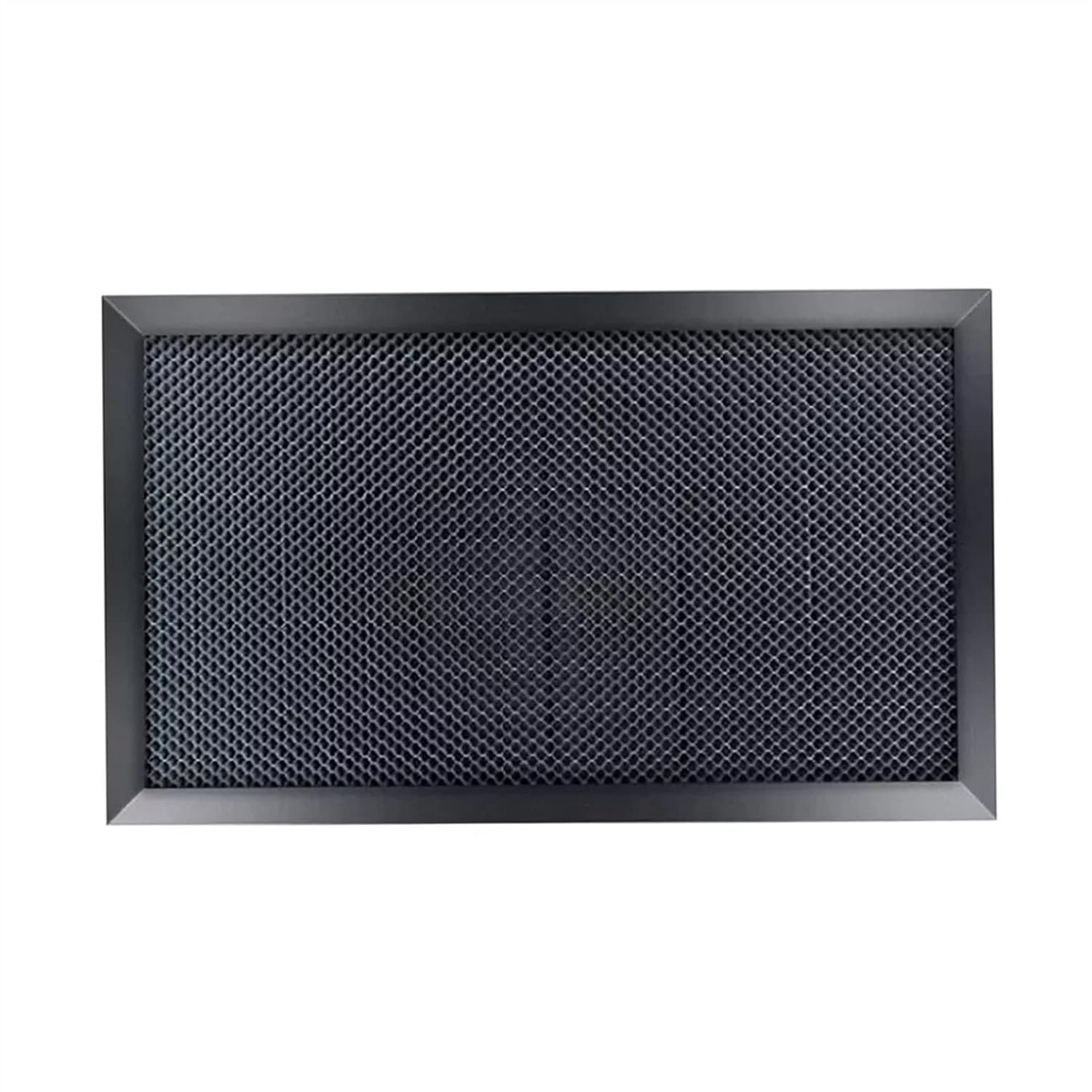 zwqpeic K40 Honeycomb Bed
 | |
| Type | Machine | Machine | Cooling | Cooling | Bed & table |
| Power | 45W | 45W | 50W | — | — |
| Air assist | — | Yes | — | — | — |
| Fits K40 | Yes | Check size | Check size | Check size | Yes |
| View offer | View offer | View offer | View offer | View offer |
OMTech publishes 81.8 pounds for the K40+ 45W and 89.8 pounds for the chiller bundle across two boxes; VEVOR publishes 64 pounds for its 45W machine. Published weights may include packaging, but either way this is a two-person lift.
The weight is only part of the handling problem. A glass tube sits inside, and it cracks if the machine takes a knock or a twist:
Choose a bench that does not flex. A wobbling bench shakes the gantry and blurs engraving, and it lets mirrors drift out of alignment. A sturdy workbench or a heavy steel cart suits a K40 better than a light desk.
Add the cooling to the total. OMTech's CW-3000 weighs 20.9 pounds and Cloudray's 19.8 pounds, and each holds 9 litres, which adds about 20 pounds of water. A bucket-and-pump setup is lighter but must sit where a spill cannot reach mains sockets.
| Item | Size | Weight |
|---|---|---|
| OMTech CW-3000 | 19 × 11 × 15 in | 20.9 lb |
| Cloudray CW-3000 | 10.6 × 19.3 × 15 in | 19.8 lb |
| 9L of water | In the tank | About 20 lb |
Stand the chiller on the floor or a low shelf beside the machine, where its fans get free air and a leak cannot reach mains sockets.
A galvanized honeycomb panel with alloy edging, made in the K40's 300 × 200mm size. Order that size: the larger options suit bigger machines, not a K40 bed.
View offerA classic K40 40W CO2 laser takes its name from its tube rating, and the K40+ and VEVOR raise that to 45W. On a tube around 700mm long, those numbers are best read as peak figures, not steady output.
A CO2 tube's output grows with its length, which is why tubes rated far above 40W are much longer than the K40's bay. The common rule of thumb among owners puts a 700mm tube's usable output nearer 30 to 35W, depending on the tube and how hard it is driven.
K40 laser power on the day depends on more than the label:
Cutting claims show how much the numbers vary. OMTech claims its 45W K40+ gets through 10mm acrylic and 8mm wood. VEVOR advises staying at or under 5mm acrylic and 3mm wood on its own 45W unit. Both can be true: thick cuts take slow speeds, multiple passes, perfect focus and strong air assist.
OMTech and VEVOR both quote a 300mm/s top speed for engraving on their 45W machines. That is a top speed for the gantry; fine detail and deep marks usually come at lower speeds.
Classic K40s carry a light gantry driven by belts and small steppers. Push them too fast and engraving shows ripples at the edges of each line, because the head overshoots as it reverses. Slow down until edges look clean, then note that speed for the material.
K40 laser resolution has two parts:
For raster engraving, a line interval between 0.1mm (about 250 lines per inch) and 0.05mm (about 500) covers most work. Tighter spacing overlaps the spot, darkens the burn and adds time without adding detail. Photo engraving on wood usually looks better at the coarser end.
Speed and power trade against each other. Double the speed and you roughly halve the energy each spot receives, so a mark that looks too light may need slower speed rather than more current. Keeping current modest and adjusting speed spares the tube.
Current K40-class machines measure about 32 × 20 × 10 inches: the OMTech K40+ is 31.9 × 19.7 × 9.8 inches and the VEVOR 45W is 31.89 × 20.47 × 10.24 inches. Classic K40s vary by factory.
12 by 8 inches, about 300 by 200mm. On a classic K40 the stock clamp and exhaust duct reduce the usable area until you remove or trim them.
OMTech publishes 81.8 pounds for the K40+ 45W and VEVOR 64 pounds for its 45W machine. Plan for a two-person lift.
40W is a peak rating for a tube around 700mm long. Usable output is lower, commonly put at 30 to 35W, and depends on current, water temperature and tube age.
The OMTech K40+ and VEVOR 45W are rated for engraving at up to 300mm/s. Clean results on detail work usually come slower.
The beam spot of roughly 0.1 to 0.2mm limits detail. Line intervals of 0.05 to 0.1mm, about 250 to 500 lines per inch, suit most engraving.
